

This is a submission for DEV's Summer Bug Smash: Smash Stories powered by Sentry.
🔨 #bugsmash, week by week. Every week I take one real production bug from textstack.app — my public-domain e-reader side project — and write up the full detective story: symptom, wrong suspects, root cause, fix. This one is about a backup that ate its own disk. Originally published on vasyl.blog.
My nightly backup has a verify step. It restores the fresh dump into a throwaway postgres container and runs sanity queries — because a backup you never restored is a hope, not a backup.
One week it started flapping. postgres did not become ready. That was the whole error. The dump itself succeeded. The storage tarball succeeded. Only the gate failed — the step whose entire job is to tell me the backup is real.
Then one morning the box stopped answering SSH.
The innocent suspect
First check, obviously: disk.
$df-h /
Filesystem Size Used Avail Use%
/dev/sda1 96G 56G 36G 61%
61%. Plenty of room. Disk is innocent. Move on.
Except df -h / answers a narrower question than the one I asked. On this box, Docker's data-root lives on a separate partition — /mnt/data. Everything Docker writes — images, containers, volumes — goes there, not to /. And /mnt/data looked like this:
$df-h /mnt/data
Filesystem Size Used Avail Use%
/dev/sdb1 196G 183G 0 100%
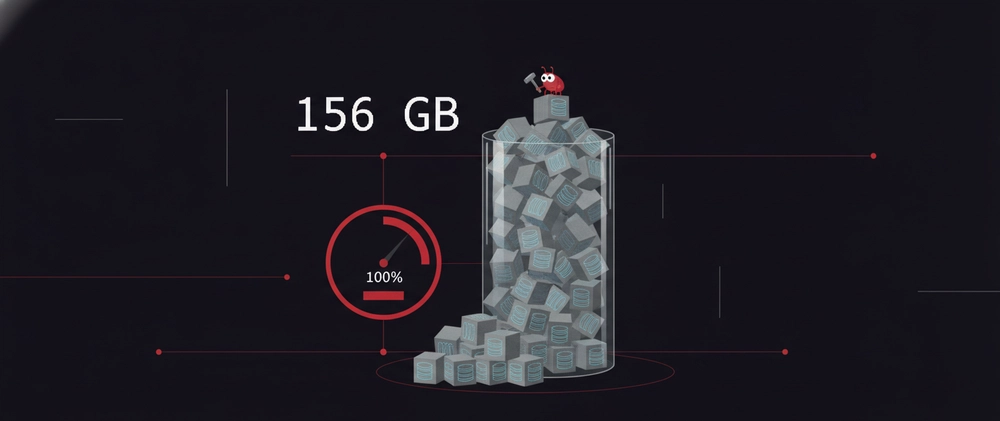
Zero bytes free. And docker system df pointed at the culprit: 156 GB of dangling anonymous volumes. Fifty-seven of them. All identical. All pgdata.
One volume per run, every run, for 34 days
Here's the mechanism, and it's built from three facts that are each harmless on their own.
Fact one: the official postgres image declares VOLUME /var/lib/postgresql/data. If you don't mount something there yourself, Docker silently creates an anonymous volume for every container you start.
Fact two: --rm only fires when the container exits on its own. A run that gets killed or times out never reaches that point.
Fact three: my cleanup path for exactly those killed runs did docker rm -f. Without -v. That removes the container and leaves its anonymous volume behind — a full initialized pgdata directory, orphaned, every time.
One leaked volume per bad run. Daily backups. Thirty-four days. 156 GB.
The loop closes
This is the part I find beautiful, in the way you can only appreciate after the incident is over.
The docker root fills up. A fresh throwaway postgres can no longer initdb — nowhere to write its data dir. So the verify step fails. A failed, timed-out run is exactly the kind that skips --rm and goes through the leaky cleanup. Which leaks another volume. Which leaves the disk fuller than before.
The backup broke the very step that verified the backup. A self-reinforcing failure, powered entirely by its own cleanup code.
One thing that mattered a lot at 11pm: real data was never at risk. Prod postgres and file storage bind-mount to / — the partition sitting comfortably at 61%. The only thing bloating /mnt/data was fifty-seven copies of a database that existed for ninety seconds each, just to prove a dump restores.
The fix
One letter, in two places:
# -v removes the container's ANONYMOUS volume too. postgres declares an# anonymous VOLUME at /var/lib/postgresql/data, so every run that reaches# `docker rm -f` (a killed/timed-out run where --rm never fired) otherwise# leaks a full pgdata volume.
cleanup(){
docker rm-fv"$CONTAINER">/dev/null 2>&1 ||true}trap cleanup EXIT
docker rm -f became docker rm -fv — in the trap handler and in the reap of leaked verify containers from previous runs. Plus a catch-all for the runs even a trap can't cover (SIGKILL):
# Belt-and-suspenders: drop any dangling anonymous volumes orphaned before# this fix (or by an OOM-killed `docker rm`). Named volumes are untouched.
docker volume prune -f>/dev/null 2>&1 ||trueAnd because the original failure hid behind a bare postgres did not become ready, the verify script now diagnoses itself: on readiness failure it dumps the container's docker logs, df -h, and docker system df straight into the CI log, and bails early if the container dies during startup instead of waiting out the full window. The next time this class of bug shows up, the error message will contain its own root cause.
Live remediation was one command. docker volume prune reclaimed 163 GB. /mnt/data went from 100% to 17%.
What I keep
df -h / is not "the disk." If Docker's data-root lives on its own partition, the partition you check by habit can say 61% while the one that matters says 100%.
Any image with a VOLUME declaration is a leak waiting for a missing -v. You don't opt into anonymous volumes; they happen to you. Every docker rm without -v on such a container strands one.
--rm is happy-path cleanup. The trap handler is the real cleanup — and it must be at least as thorough as --rm would have been, which means it needs -v too.
A verify step needs its own observability. Mine guarded the backups for months and then failed with seven words and no evidence. Any gate that can fail should dump the state needed to diagnose the failure, in the failure itself.
And one for the road: a full disk still lets you SSH in. When the box stopped answering entirely, that was a clean manual reboot — not the disk. An SSH connect timeout is a host-offline signal. Knowing which symptom belongs to which failure saved me from chasing a second ghost that night.



Top comments (2)
Good catch, and the shape of it is worth naming: the thing that broke the host was the safety mechanism. A verifier sharing a resource pool with what it verifies eventually becomes the largest consumer of it.
Two things I would add on top of the
-v, since cleanup flags only run when your cleanup actually runs, and SIGKILL, an OOM kill or a reboot mid-run skip all of them. First, make the leak structurally impossible rather than cleanup-dependent: mount the throwaway data directory as tmpfs instead of letting Docker create a volume, so there is nothing to strand and it dies with the container by definition. Only works if the restore fits in RAM, so it depends on your dump size. Second, a weeklydocker volume pruneon a timer as the belt for whatever the suspenders miss. You now know exactly what a slow leak looks like at 100%, but the version that gets you next time is the one nobody is watching yet.The structural version of the one-letter fix: mount a named volume at /var/lib/postgresql/data and reuse it every run. Docker never creates an anonymous one then, so a rm -f that misses the -v has nothing to strand. Cost is you have to empty it before initdb, since postgres refuses a non-empty data dir. The df -h / line is the part worth pinning on a wall.